Preview / 预览
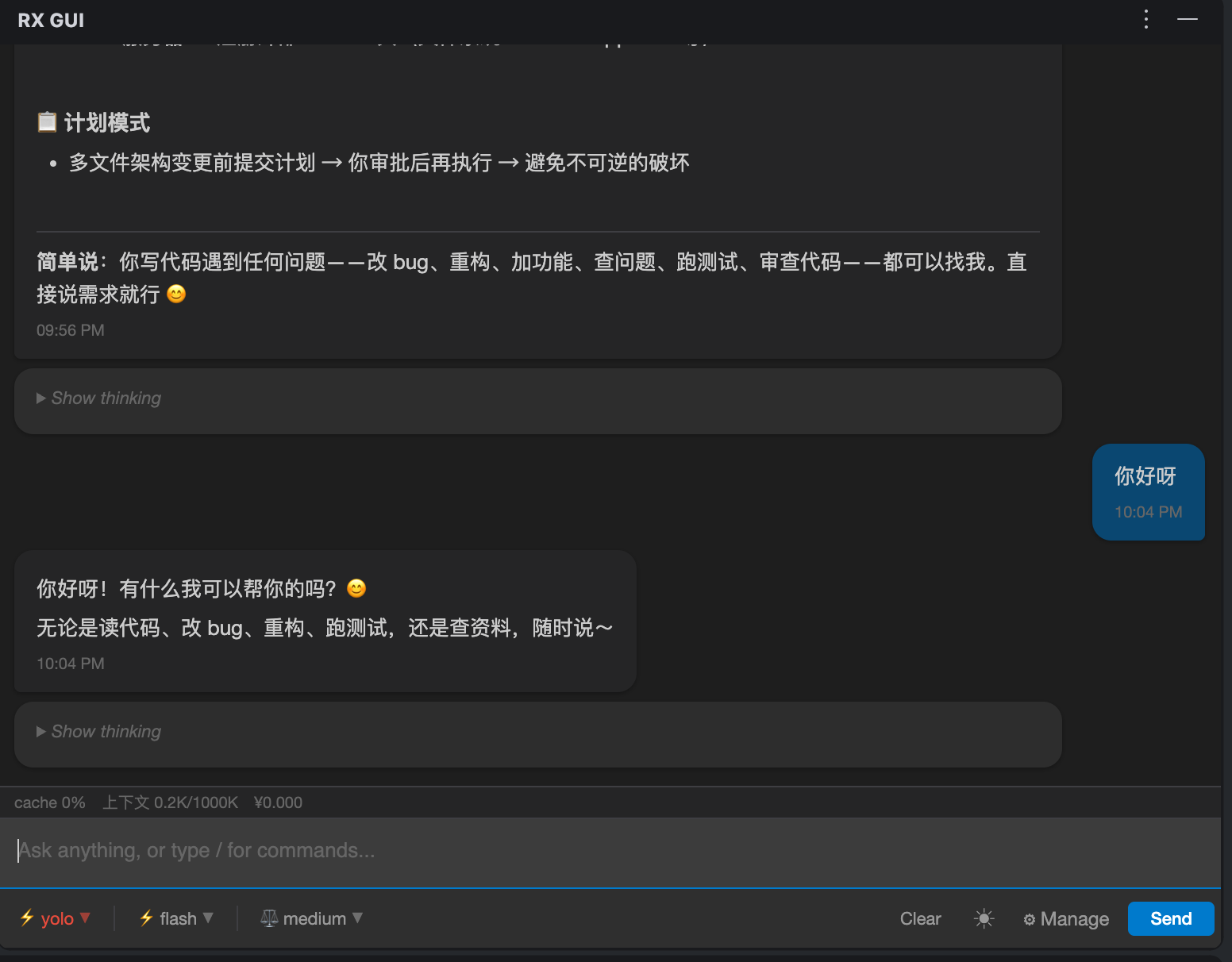
Sidebar AI chat in action · 侧边栏 AI 对话实况
Reasonix AI Coding Assistant for JetBrains IDE
JetBrains IDE 侧边栏 AI 编程助手
Sidebar AI chat in action · 侧边栏 AI 对话实况
Powered by DeepSeek-Reasonix, right in your IDE sidebar
Streaming chat with real-time Markdown rendering and code syntax highlighting.
流式 AI 对话,Markdown + 代码语法高亮实时渲染
Interactive diff for file edits — accept or reject changes with full control.
文件编辑交互式 Diff 审阅(接受 / 拒绝),安全可控
Switch between review / auto / yolo modes for different use cases.
review / auto / yolo 模式一键切换,适配不同场景
auto / flash / pro presets with low to max reasoning depth control.
多种预设 + low~max 推理深度可选
Real-time spending and balance display.
消费金额 & 余额实时显示
Context window usage and cache hit ratio at a glance.
上下文窗口使用量 & 缓存命中率实时监控
/model /mode /preset /effort /clear /help with autocomplete.
斜杠命令自动补全,快捷操作
Selected code in editor automatically attached to questions.
编辑器选中代码自动附带到问题中
Works on macOS / Windows / Linux — all JetBrains IDEs.
全平台支持,兼容所有 JetBrains IDE
Get started in minutes
Download the plugin ZIP from GitHub
IDE → Settings → Plugins → ⚙ → Install from Disk
Restart IDE, then open the RX GUI tool window
npm install -g reasonix — Reasonix CLIreasonix setup — Configure DeepSeek API KeyGUI · Protocol · Engine — three-layer design
If this plugin helps you, consider buying the author a coffee ☕